Add-on for any plan
Meetings & Webinars
Meet with your team and your clients, and present webinars to a registered audience — from the same console you support customers in.
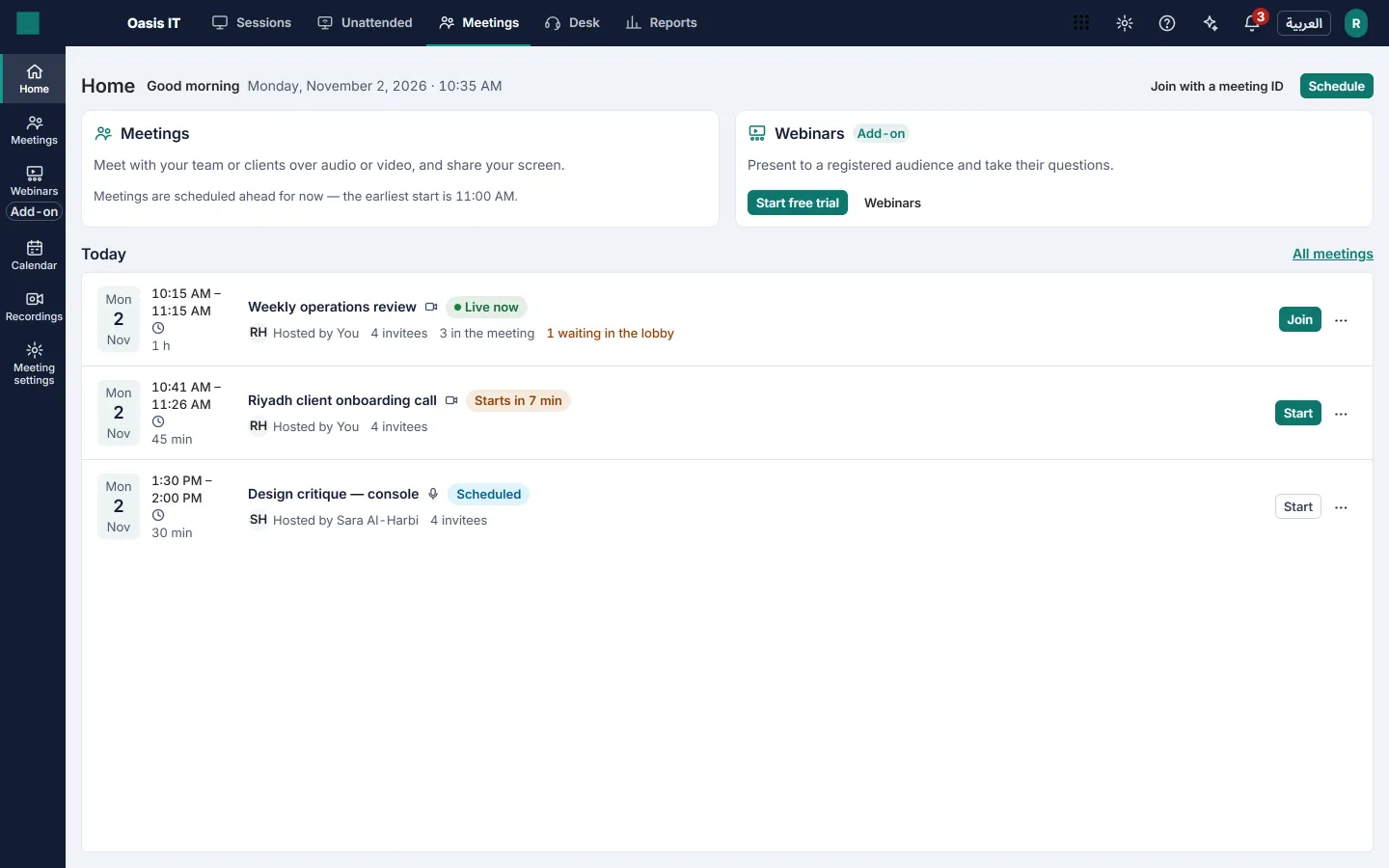
Meetings
Schedule a meeting or start one now, and send the invitation.
- Up to 100 people in a meeting, each joining from a web browser
- Audio-only or video meetings, and an instant audio or video call when you need one now
- A personal room with a link that stays the same, and recurring meetings
- Invitations by email with a calendar file, and reminders before the start
- A lobby, so you decide who comes in
In the meeting room
Everything a meeting needs, and nothing for your guests to install.
- Audio and video, screen sharing, chat and a participants list
- Raise a hand or send a reaction without interrupting
- Hosts admit people from the lobby, mute them or remove them
- Cloud recording, 10 GB per host, with a visible indicator for everyone in the room
- A device check before joining: camera, microphone and speakers
Webinars
Present to a registered audience, then share the replay.
- A registration page with your logo and color, your own questions and optional approval
- Up to 10 panelists present; attendees take part through Q&A and polls
- Attendee tiers of 100, 250 or 500
- On-demand replay of the recording for the people who registered, 20 GB per organizer
The limits, plainly
These are the numbers the product enforces.
- Up to 100 people in one meeting.
- Webinars for up to 100, 250 or 500 attendees, depending on the tier you buy, with up to 10 panelists.
- Audio goes through the web browser, on a computer or a phone. There are no dial-in phone numbers.
- Guests and attendees need no account and no license. Each person who hosts meetings or organizes webinars needs one.
- Recording storage: 10 GB per host and 20 GB per organizer.
- Each host license includes 30 group participant-hours a month, pooled across the workspace. One-to-one calls never count.
Where meeting audio and video go
The media servers that carry meeting and webinar audio and video are hosted in the Gulf region, like the rest of Telvory, and media is encrypted in transit.
Security and data residencyPrices
Per person who hosts or organizes, billed with your plan.
| Attendees | Price |
|---|---|
| Telvory Meetings | |
| Up to 100 people per meeting | SAR 55 per host / month |
| Telvory Webinars | |
| Up to 100 attendees | SAR 79 per organizer / month |
| Up to 250 attendees | SAR 149 per organizer / month |
| Up to 500 attendees | SAR 249 per organizer / month |
Prices exclude 15% VAT. All prices and plans
Voice and video calls inside a support session are not part of this add-on: they stay in every plan.
Included and add-ons
Included
Comes with every Meetings or Webinars license at no extra cost.
- Instant (attended) remote sessions
- Audio and video calls in sessions
- Relay allowance per month: 2 GB
- Who may start a remote session: meeting hosts
- Longest remote session: unlimited
- Concurrent remote sessions: at least 1
- Quick audio and video calls
Add-ons
Add these on top, on any plan, when you need them.
- Remote support: from SAR 69 / month
- Telvory Desk: from SAR 69 per agent / month
Notes on included hours, packs and overage
- Each Meetings host license includes 30 group participant-hours a month, pooled across your workspace. One-to-one calls never count.
- Extra participant-hour packs are not on sale yet. Their price will be published here before they are.
- Going over the included hours never stops a meeting: video quality steps down until the next month or until hours are added.
- Attendee-hours included each month per Webinars tier, live and replay: Up to 100 attendees: 120, Up to 250 attendees: 250, Up to 500 attendees: 500.
- Over a tier's included attendee-hours, each started block of 100 attendee-hours costs SAR 109, billed at your next renewal.
- A relay allowance carries a connection when a direct one is not possible. Using it up costs nothing: sessions then use direct connections only.
- Prices exclude VAT.
Write to the Telvory Meetings team
Questions about Meetings and Webinars go straight to the people who run them.
Questions
Do my guests need an account or an app?
No. Guests and webinar attendees join from a web browser on a computer or a phone, with no account and no license. Each person who hosts meetings or organizes webinars needs a license.
Can people dial in by phone?
No. Audio goes through the web browser; there are no dial-in phone numbers.
Can I record a meeting or a webinar?
Yes. Recordings are stored in the cloud with a set amount of storage per host and per organizer, and everyone in the room sees a recording indicator. Webinar replays are offered to the people who registered.
Are voice and video calls in a support session part of this add-on?
No. Calls inside a remote support session stay in every plan. Meetings & Webinars is for meetings and webinars outside a support session.
Where does meeting audio and video go?
Through media servers hosted in the Gulf region, like the rest of Telvory, encrypted in transit. The security page says where each kind of data lives.
Also in Telvory
Remote Support
Reach any screen your customer allows — or any enrolled machine, with nobody there.
Explore Remote SupportDesk
Turn email and web requests into tickets your team answers on time, in Arabic or English.
Explore Desk
See it on your own machines
Create a free workspace and run an attended session in minutes, or talk to us about a larger fleet.