Attended support
Screen view and control, chat, voice and video, file transfer with resume, multi-monitor, and recording when your policy allows it.
Read moreSecure remote support, built on consent
Send a link. Your customer sees who you are and exactly what you're asking for, runs a small one-time helper — nothing to install, no admin rights — and you're in.
Telvory puts consent and the audit trail first: your customer sees who you are and what you're asking before anything happens, and every session, consent and action is on the record. Arabic and English with full right-to-left, servers and database hosted in the Gulf region, and plans priced in riyals come built in — and recording, audit log and roles are in every plan, not just the top one.
One workspace
Remote support, a help desk and meetings — one sign-in, one bill in riyals, one audit trail.
Reach any screen your customer allows — or any enrolled machine, with nobody there.
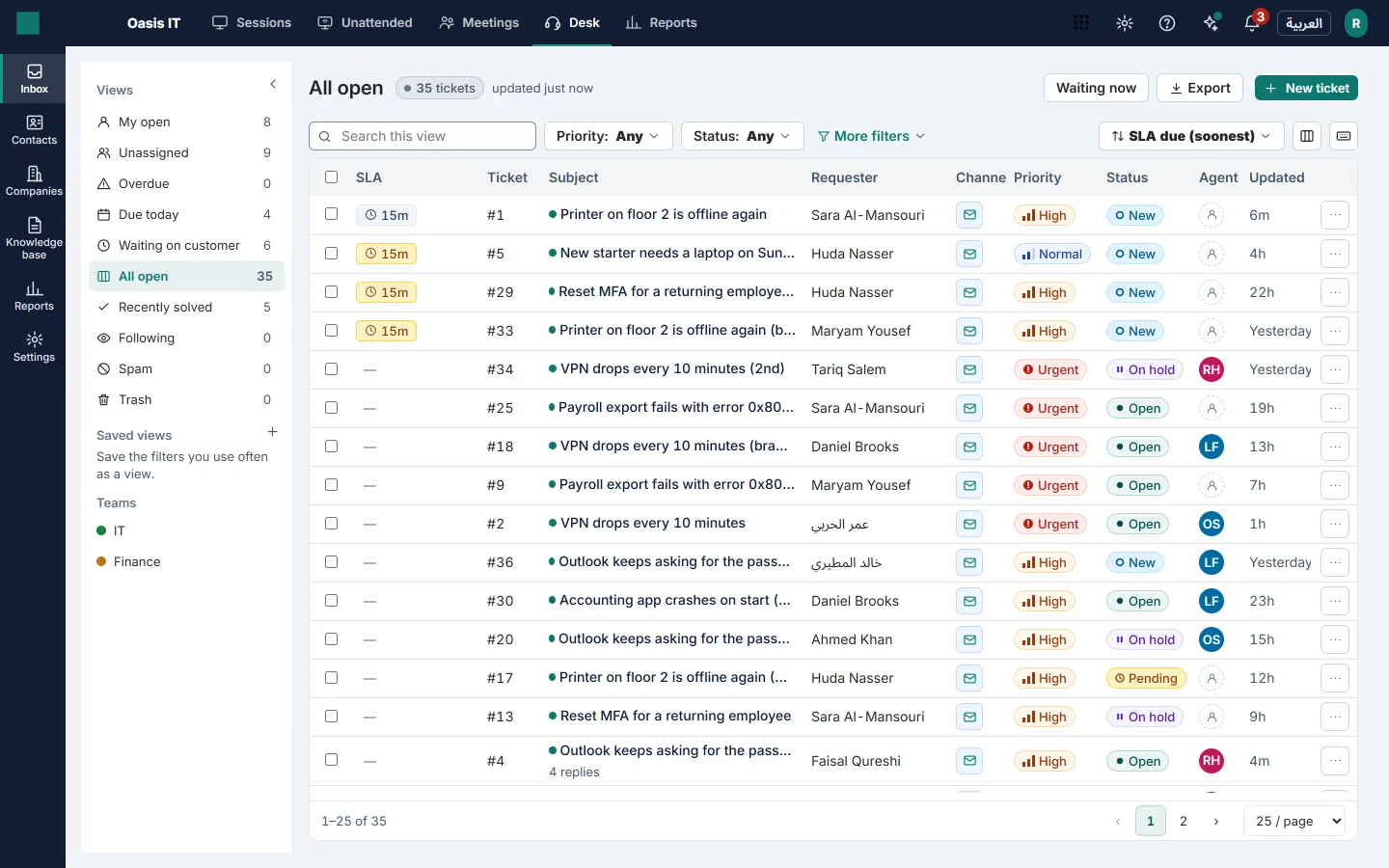
Turn email and web requests into tickets your team answers on time, in Arabic or English.
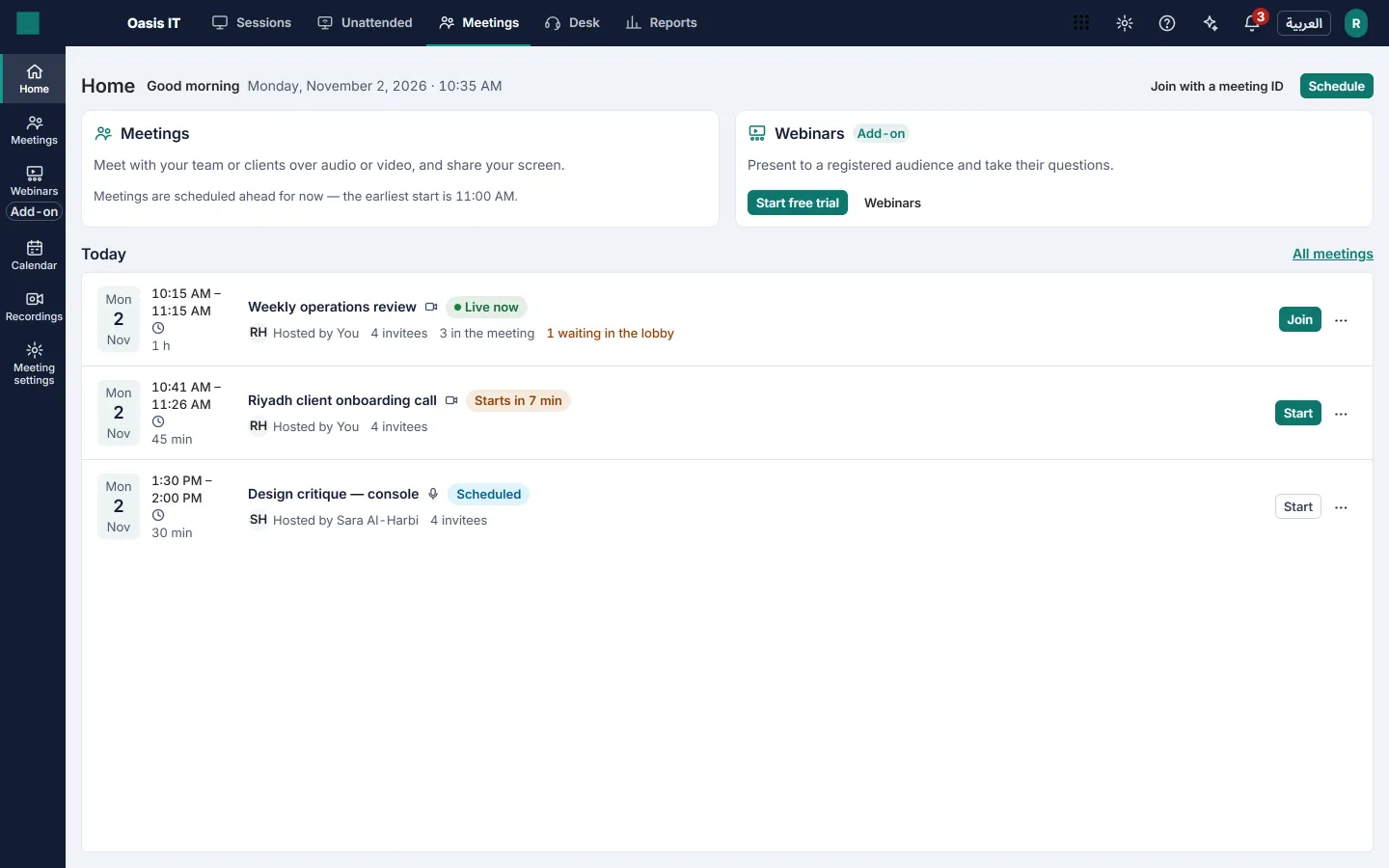
Meet clients and present webinars from the same console — guests join from a browser.
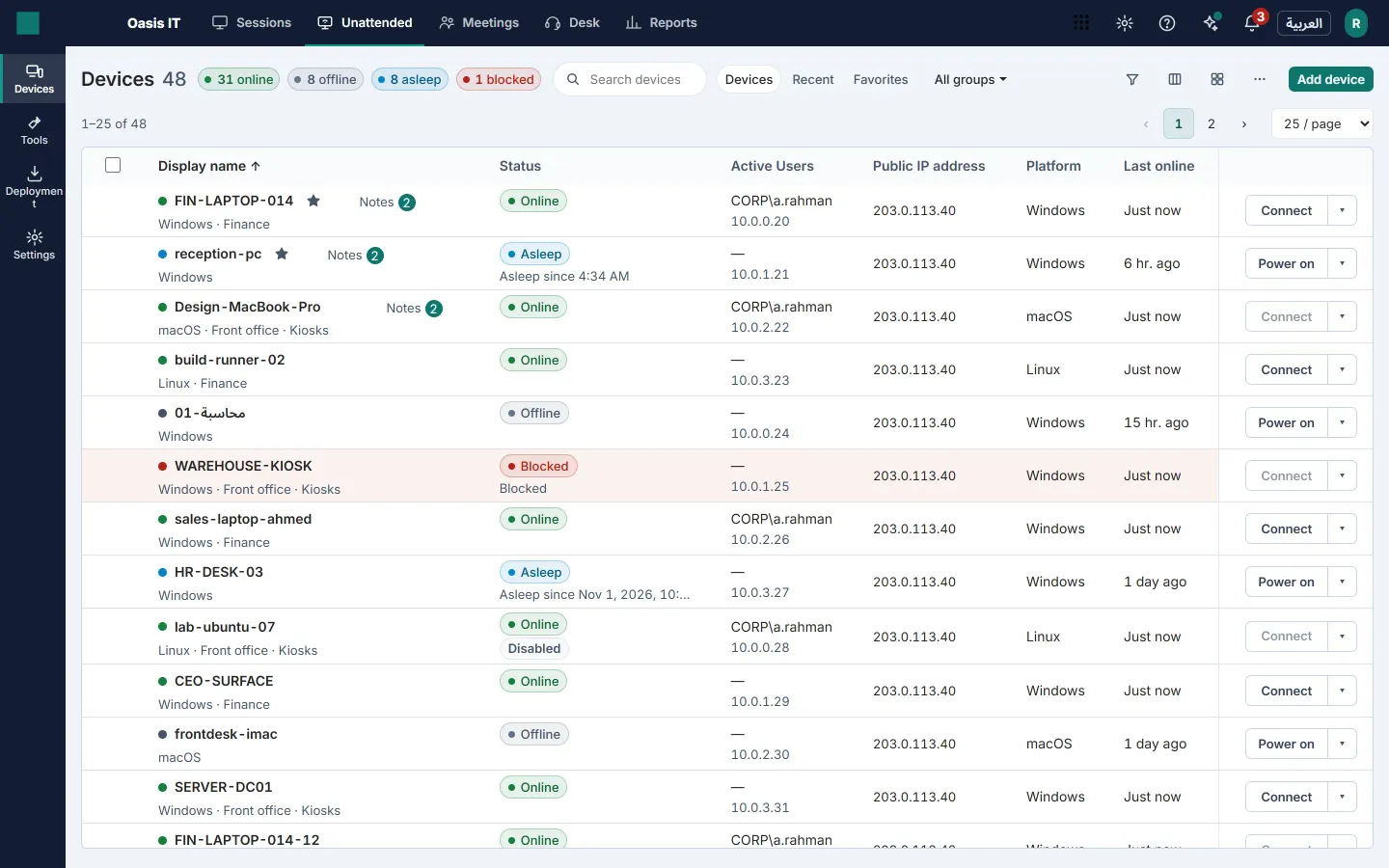
Two ways in: with your customer at the screen, or with nobody there at all.
Start a session and send the link by email, SMS or chat — or read out the code.
The join page names you and your organization and lists what you're asking for: view, control, files, audio. They accept once.
They run a small one-time helper: no installation, no admin rights, and it removes itself when the session ends. Can't run it? They can share their screen straight from the browser, view-only.
Send a deployment link, or roll out the MSI through Group Policy, Intune or Configuration Manager.
When the machine enrolls, its consent is recorded: who gave it, when and for what. It can be withdrawn at any time from the consent register.
The machine appears in your fleet and you connect without anyone at the desk having to click — or set a policy that asks them first. Every action is audited.
Fix problems faster, prove every action, and meet customers in their own language — six parts, all live in the product today.
Screen view and control, chat, voice and video, file transfer with resume, multi-monitor, and recording when your policy allows it.
Read moreA searchable fleet with groups and policies, wake-on-LAN, power options including restart into Safe Mode, and 21 Quick Launch admin tools.
Read moreCustomers start a session, open a ticket or read your knowledge-base articles from your portal — or from a widget on your own website.
Read moreMeetings where each guest gets their own invitation, and cobrowse, where the customer shares one browser tab with consent.
Read moreSessions, technicians and devices, a satisfaction survey after each session, sessions by country and city, and CSV export.
Read moreSigned webhooks, API keys, departments, custom roles, an IP allow-list and sign-in with a Google or Microsoft account.
Read moreEvery consent — in a session or at install — is recorded with who gave it and when, and can be withdrawn.
Sessions, consents and actions on each machine are written to an append-only audit log.
Each workspace's data is separated by row-level security in the database, checked by tests on every change.
Servers, database, relay and session recordings are hosted in the Gulf region — the security page says exactly where each kind of data lives.
A dated, capability-by-capability comparison — including the rows where other tools are ahead.
| Capability | Telvory | What to check in any other tool |
|---|---|---|
| Arabic interface, right to left | Yes — technician console, customer join page, portal and admin | Is the technician's own console in Arabic, right to left — or only the mobile apps? |
| Where your data is hosted | Servers, database, relay and session recordings in the Gulf region; transactional email and platform secrets handled outside the region | Which region holds your sessions and recordings, and is a Gulf or in-Kingdom option sold on your plan? |
| Session recording and audit log on the first paid plan | Yes — in every plan | Are recording and the audit log on the entry plan, or only on the top tier? |
| How you pay | Monthly or yearly, in Saudi riyals, with a VAT invoice | Which currency, and is monthly billing offered or only a yearly subscription? |
| Security certifications | None yet | Established tools hold ISO 27001 and SOC 2 — ask for the current certificates |
Prices exclude VAT. What each plan includes is on the pricing page.
SAR 0 / month
SAR 69 / month
SAR 119 / month
SAR 199 / month
No installation and no admin rights. For view and control they run a small one-time helper that removes itself when the session ends. If they can't run it, they can share their screen straight from the browser, view-only. Unattended machines are different: they have the Telvory agent installed once.
The servers, database, relay and session recordings are hosted in the Gulf region, on secure, enterprise-grade cloud infrastructure. File contents are never stored by Telvory. Transactional email and platform secrets are handled outside the region, by trusted providers. The security page explains where each kind of data lives.
We built Telvory with the PDPL in mind — consent records, an audit trail, retention rules for each kind of data, erasure requests and a breach register — but no regulator or auditor has assessed us, so we don't call it compliant. Whether your use meets the law also depends on how you use it.
No. Our servers are hosted in the Gulf region, not inside Saudi Arabia. If you need hosting inside the Kingdom, tell us — we'd rather know than guess.
Create a free workspace and run an attended session in minutes, or talk to us about a larger fleet.